| Title | Anchor ID | Element Type |
|---|
 |
Internet Explorer Blocking Content With Security Certificate ErrorSMARTEDGE integrates with Skype for chats and online calls. For this integration to take place SMARTEDGE loads a script from Skype's web site (www.skype.com) using a secure connection. Since this script is located on a remote server with a different security certificate from ours, Internet Explorer gives a warning that this content is blocked from being displayed. The message is inaccurate because all content is still displayed, it is the script reference that triggers the message. Getting this message from Internet Explorer?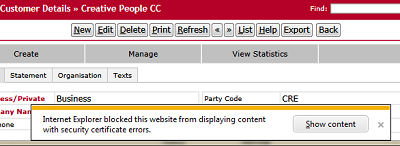
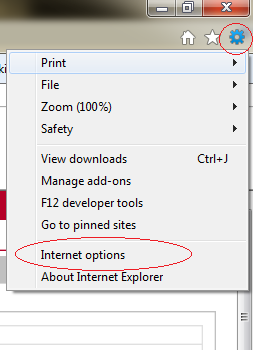
Do This To Disble This Warning MessageYou can disable this warning message in Internet Explorer Internet Options.
|